




Sorry to break it to you, but you’ve probably already got the potential candidates you need.
They’re just buried under thousands of applications, half-forgotten interview notes, old referrals, and candidates you liked but didn’t hire.
The real work is turning that pile of candidate data into a talent pool you can actually use.
That means knowing who’s worth revisiting, keeping profiles useful as your hiring needs change, and re-engaging strong candidates before you start another sourcing sprint from scratch.
Let me show you can build a candidate database that stays organized, segment and manage your talent pool, keep candidate data fresh, and reactivate people already in your network when the right role comes up. We’ll also look at where candidate database software fits into the process and how to tell whether your talent pipeline management is actually working.
What is a modern candidate database and talent pool management?
75% of your applicant tracking system records are viable candidates no one re-engages.
TheHireHub’s 2026 research also found that silver medalists hire 3x faster than cold candidate outreach. Its research on dormant databases found that they contributed to 26% of hires in 2021, rising to 46% in 2024.
So before you post another job or start a fresh LinkedIn search, you might want to take another look at who you’ve already spoken to. A candidate that didn’t quite make it six months ago might have a better chance now than earlier before.
And your ATS or CRM probably has a lot of these potential candidates.
There are candidates who made it to the final round and lost to one person. People you sourced for a role who weren't ready to move at the time. Past applicants whose skills now fit a completely different opening. Referrals, event attendees, and people who have interacted with your employer brand but never formally applied.
A candidate database brings all of that into one searchable place.
And it should contain more than a stack of resumes. You want the candidate's work history and skills, sure, but also interview notes, scorecards, previous conversations, outreach history, application outcomes, and other useful context.
A healthy candidate database usually has four categories you should look into for candidate rediscovery:
- Silver medalists: They got close. They know your company, have already gone through part of your hiring process, and may only have lost because another candidate happened to be a better fit for that particular role.
- Passive prospects: You found them, started a conversation, and they never applied. That doesn't mean the relationship is dead.
- Past applicants: Someone can be wrong for a sales role and exactly right for a customer success role two years later. Searching by skills and experience helps you spot those connections.
- Warm contacts: Referrals, event attendees, community members, and people engaging with your employer brand might not look like candidates yet. They can become ones later.
A good database can also change the economics of hiring.
For example, RemotelyHR reported cutting its overall time to hire and cost by about 66% after moving to an AI-native recruiting workflow with Kula. A role that typically took around three weeks to fill was filled in under a week.
This isn’t because the process simply got faster.
Rediscovery worked because it was connected to the rest of the recruiting workflow.
Finding an old candidate is useful. But, finding them, screening them, and following up without making the recruiter jump between five different systems is where the time savings start to matter.
And that's the difference between having candidate data and actually doing talent pool management.
A spreadsheet can tell you someone's name and email. A LinkedIn list can remind you that you once found them. A folder full of resumes can prove that your team has been busy.
But none of those tells you that the engineer you need today interviewed for a similar role last year, received strong feedback, and is now worth contacting again.
That's what candidate database software should help with: finding that person without making a recruiter dig through old applications, notes, and spreadsheets to piece the story together.
The goal isn't to collect more candidates. It's to stop losing track of the good ones you already found, so your talent pipeline management doesn't start from zero every time a new role opens.
How to build a reactive talent pool that actually works
A candidate database is only useful if candidates actually make it into the database.
That sounds obvious, but recruiting teams collect candidate information in a surprising number of places:
- Applications go into the ATS
- Sourced profiles sit in LinkedIn Recruiter
- Referrals arrive through Slack
- Event attendees end up in spreadsheets
- Someone downloads a career guide and their details land in a marketing tool
Six months later, nobody has the full picture.
A modern database should pull candidates from all of these channels, including direct ATS applications, LinkedIn, GitHub, Behance, industry directories, job boards, referrals, recruiting events, webinars, and career content. Every meaningful interaction should leave behind useful candidate data rather than disappearing when the immediate hiring need is over.
Here’s how that works:
1. Make sourcing capture almost effortless
If adding a candidate means copying their name, email, job history, profile URL, and skills into five different fields, recruiters will eventually stop doing it.
Browser extensions solve part of that problem. A sourcer finds someone on LinkedIn or GitHub, captures their profile, and gets the candidate into your candidate sourcing tool without having to rebuild the profile manually.
Kula, Ashby, and Gem are all great examples of AI recruiting systems that support this kind of workflow.
The same idea applies to your careers page. Not everyone interested in your company is ready to apply for a specific job. Give them a way to join your talent community or share their details for future opportunities, and you have another source of candidates to work with later.
2. Don't let events end with a spreadsheet
Recruiting events, career fairs, webinars, and meetups can generate a lot of warm contacts. The problem starts when those contacts end up in a spreadsheet called something like Career Fair Leads - Final v3.xlsx.
Digital forms and QR codes can send attendees directly into the database, with the event attached as a source.
That source information becomes useful later. If you're hiring for an entry-level role, you can search for people who attended relevant events instead of asking someone to dig through last year's event files.
3. Give referrals the same treatment
Apollo Technical reports that more than 45% of employees referred by colleagues stay for four years or longer, compared with 25% of employees sourced through job boards.
But your referrals deserve more than a name dropped into Slack. Instead you should:
- Record who made the referral
- What role or skill area they had in mind
- Why they thought the person would be a fit
That context can make the difference between a useful talent pool and another list nobody touches.
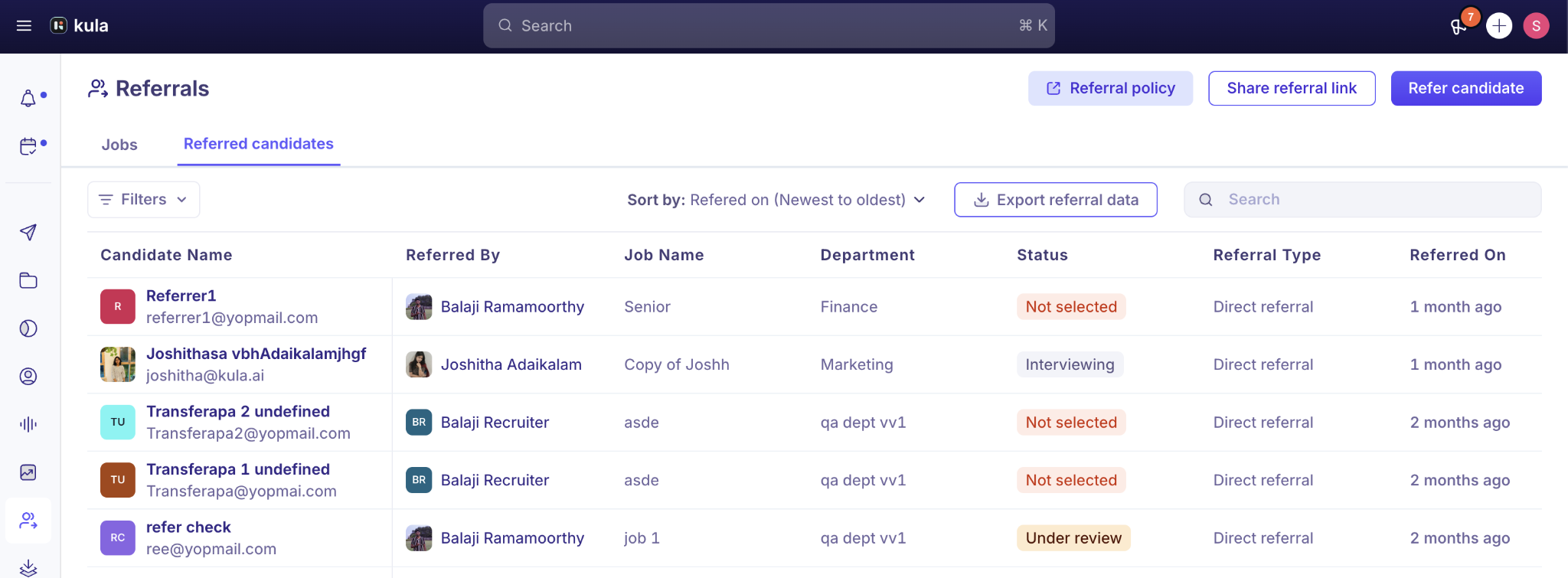
All of this can be very easily managed with Kula’s referral system. You can even automate emails to employees where they can manually upload data into your ATS so you can take a look at your own time.
Employee turnover expert Richard Finnegan also states:
“Employee referrals are four times more likely to be hired, save companies over $7,500 per hire, perform their jobs better than their peer employees, and most importantly, for our purposes, stay longer.”
Speed is another reason to keep referral data organized.
Research shows that referred candidates took an average of 29 days to hire, compared with 55 days for candidates hired through career sites. That's a 55% faster hiring timeline.
So when an employee sends you a referral, don't treat it as a one-off introduction. Put the person into the same candidate database as everyone else and keep the referral context attached to their profile.
4. Keep sourcing and the ATS connected
You don't want one database for sourcing and another for recruiting.
When a recruiter finds someone through a sourcing tool, that candidate should move into the same record the rest of the hiring team sees. Their source, outreach history, skills, notes, previous roles, and interactions should stay with them as they move through different hiring cycles.
Enrichment can fill in missing contact information, extract skills, and normalize work history. It saves manual work, but it also makes the database easier to search later.
The quality of that data matters more than the size of the database. Duplicate profiles, missing source information, inconsistent job titles, and empty notes make talent pool management harder every time someone tries to search it.
Build the capture layer properly and your database keeps getting more useful with every interaction. When it's time to reactivate your talent pool, recruiters can see who someone is, where they came from, what happened last time, and why they might be worth contacting now.
That is what good candidate database software should support, and it gives your talent pipeline management a much better starting point than another blank sourcing search.
How to segment and organize your candidate database
A database with 50,000 candidates can be less useful than one with 5,000 if nobody can find the right 20 people.
The trick is giving candidates enough structure that recruiters can search across roles, skills, history, and behavior without creating a tagging system so complicated that nobody uses it.
1. Start with the fields recruiters actually need
At a minimum, organize candidates by:
- Source: Career page, LinkedIn outreach, referral, event, job board, and so on.
- Stage: Applied, screened, interviewed, offered, rejected, withdrawn, or silver medalist.
- Skills: The capabilities that could make someone relevant for more than one role.
- Seniority and department: A senior engineer needs a different approach from an entry-level sales candidate.
- Interest and location: Email engagement, event attendance, content interactions, and geographic preferences can help narrow the list further.
This categorization can looks something like this on your ATS:
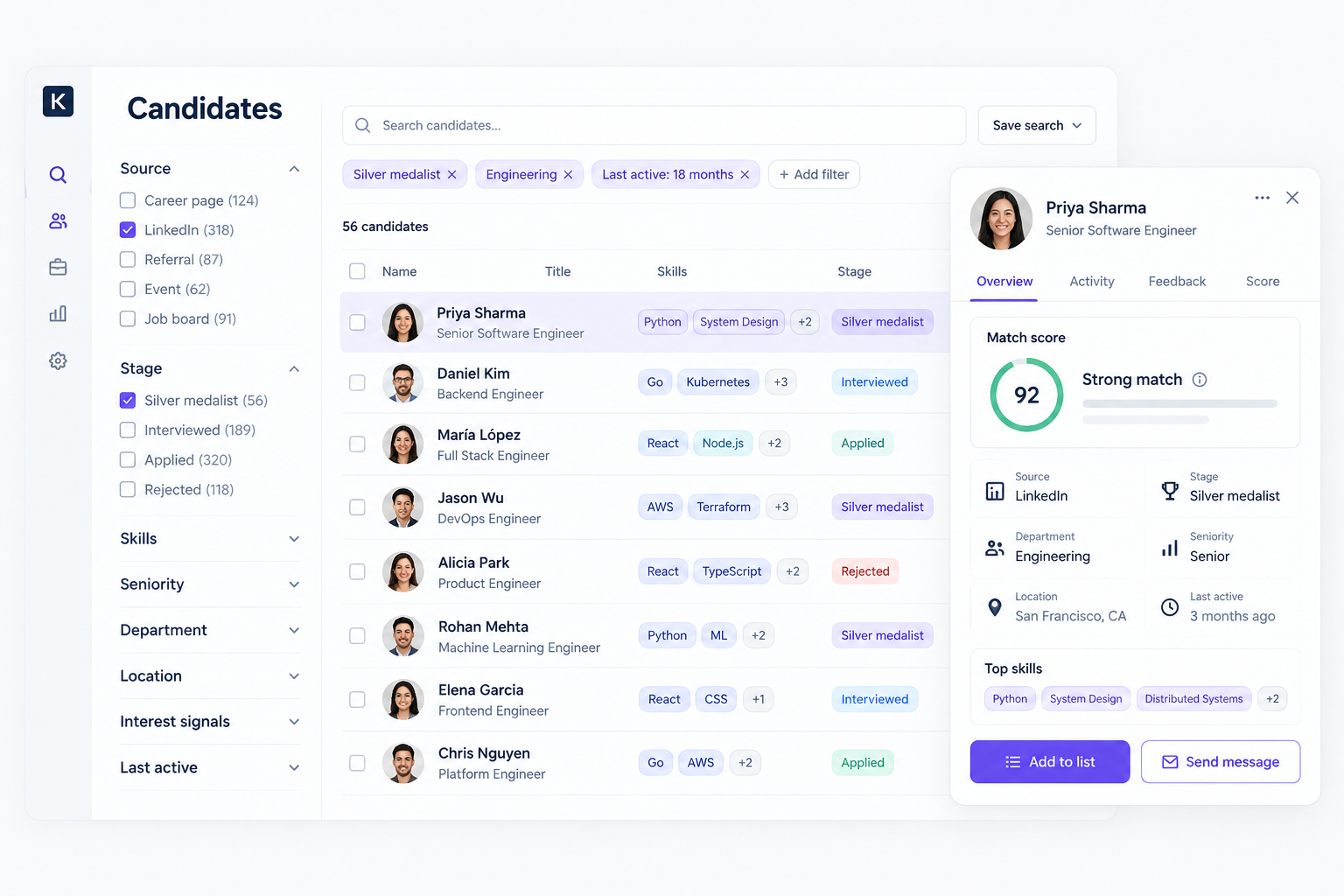
Skills deserve particular attention. Someone who wasn't right for a frontend engineering role six months ago might be exactly what you need for a different product team today. If your database only remembers the original job title, that connection is easy to miss.
2. Keep the tagging system boring
If one recruiter tags someone as “developer,” another uses “software engineer,” and a third uses “programmer,” your database now has three ways of describing roughly the same thing.
Create a shared taxonomy and stick to it:
- Use canonical skill names
- Standardized seniority levels
- Consistent departments
- and defined candidate stages
Then automate as much of the tagging as possible. Resume data, application information, and interview feedback can all contribute to candidate profiles without asking recruiters to manually maintain every field.
Time matters too. A candidate who was highly engaged two years ago shouldn't look identical to someone who emailed your recruiter last week. Track last activity and flag stale records for re-engagement or archival.
3. Make the database searchable, not just filterable
The useful part of segmentation is what you can do with it afterward.
A recruiter should be able to pull a list such as senior engineers who scored 4+ on system design, weren't hired, and were active within the last 18 months.
That is much more useful than opening a generic “engineering candidates” folder and scrolling.
This is also where scoring can help. Kula's AI scoring lets recruiting teams define criteria such as education, skills, and experience, then assign candidates scores based on those requirements.
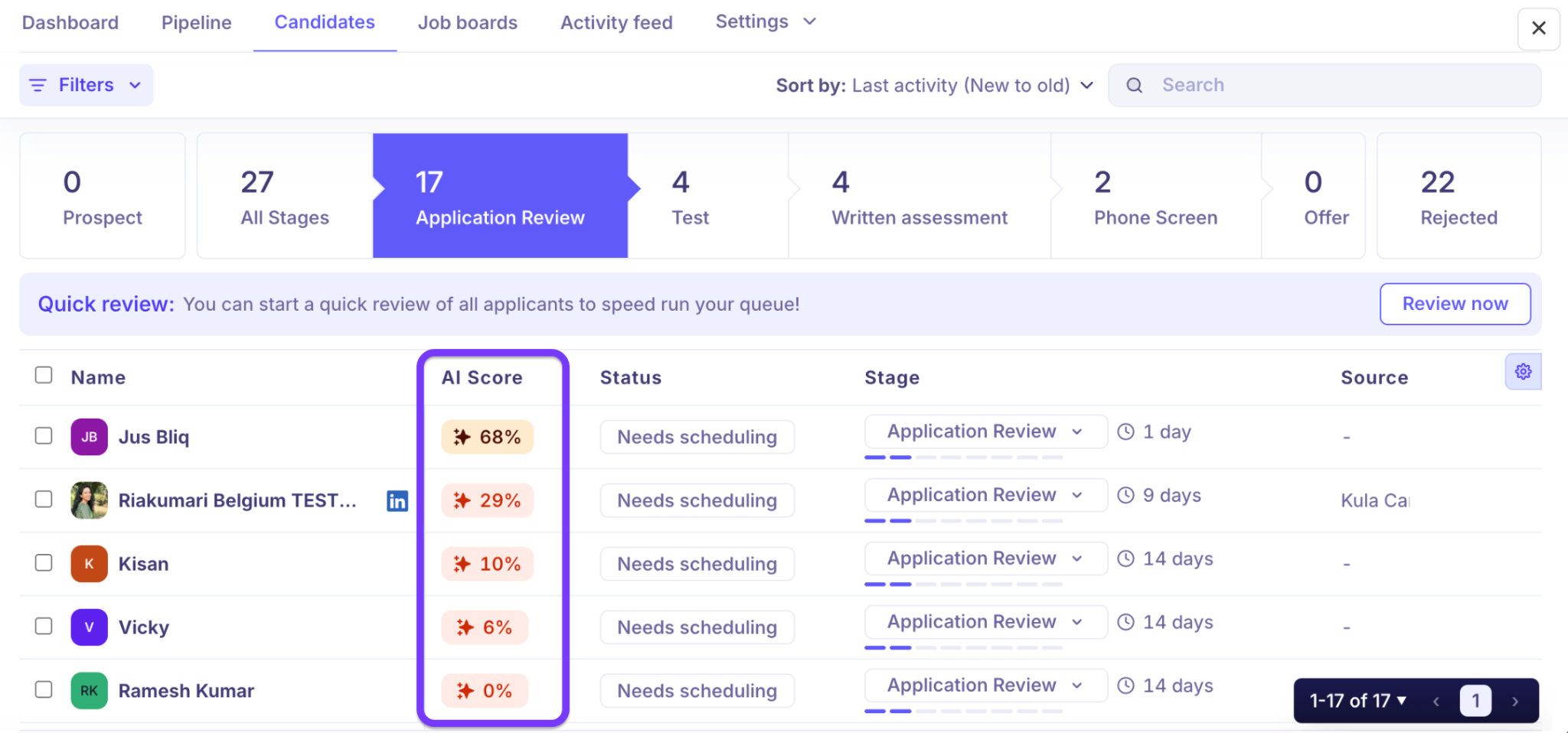
For a candidate database, the value isn't the number itself. It's being able to surface the people who already showed strong evidence of fit and might be worth reconsidering.
4. Don't forget the compliance layer
Your segments also need to reflect what candidates actually did in the hiring process.
Under the Office of Federal Contract Compliance Programs (OFCCP), someone doesn't become an “Internet Applicant” simply because their profile exists in your database. They must meet specific criteria, including expressing interest through the internet or electronic technology, being considered for a particular position, meeting the basic qualifications, and not withdrawing from consideration.
That distinction matters when talent pool management and applicant reporting overlap. Keep applicant activity and general talent-pool contacts distinguishable, rather than treating everyone in your candidate database as an applicant.
Get the structure right and candidate database software becomes much more useful. Recruiters can search across skills and history, build targeted segments, and reactivate your talent pool when a new opening matches someone you've already met.
That's a far more useful setup for talent pipeline management than a database full of names and job titles.
How to reactivate stale talent pools
A candidate who hasn't heard from you in 18 months isn't necessarily a bad candidate. They might have a new job, a new skill, a different location, or a completely different reason for being interested in your company.
That is why stale databases need maintenance, not mass emails. Candidate information gets older, contact details change, and the reason someone wasn't right for a role can become irrelevant.
Before you reactivate your talent pool, split it into sensible groups:
- Look at when you last interacted with each person
- Why they weren't hired
- Whether their skills match current roles
- and how engaged they were the last time you contacted them
A silver medalist from six months ago should not get the same message as someone who applied three years ago and never made it past the first screen.
1. Start with silver medalists
These are usually the easiest candidates to revisit because you've already done much of the evaluation.
Research from US Tech Automations reports that re-engaged silver medalists reply at roughly 3x the rate of cold-sourced candidates.
But don't just send them a generic “We have an exciting opportunity” email.
Go back to the original conversation. Ideally, the recruiter or hiring manager who worked with them reaches out, acknowledges what happened, explains why they're hearing from you now, and gives them an easy next step.
“Hey [Name], you may remember we spoke last year about the senior engineering role. We didn't move forward at the time, but I've been thinking about your work on X and we now have a role that seems like a stronger fit.”
A quick 30-minute conversation is a much smaller ask than “apply here” and more personal in the age of AI.
2. Give passive prospects a reason to reply
Someone you sourced but never deeply engaged with needs a different approach.
Remind them where you originally connected, then give them a reason to care now. That could be a new product launch, company growth, a new team, or a role that is materially different from the one you originally discussed.
The goal isn't to convince someone who wasn't interested before. It's to find out whether something has changed.
3. Revisit past applicants by skill, not old job title
This is where a well-organized candidate database earns its keep.
Someone who applied for a frontend role two years ago might now match a product engineering opening. A sales candidate who withdrew from one process might be a strong fit for a different territory. Search the database against current skills and requirements first, then look at the candidate's previous interaction with your team.
That makes the outreach specific instead of awkwardly pretending you just discovered them.
4. Keep the database warm between openings
Re-engagement doesn't always need to start with a job.
Quarterly company updates, useful industry content, event invitations, and relevant company milestones can keep relationships from going completely cold. A candidate who interacted with you recently is much easier to approach when the right role opens than someone who hasn't heard from your company since their rejection email.
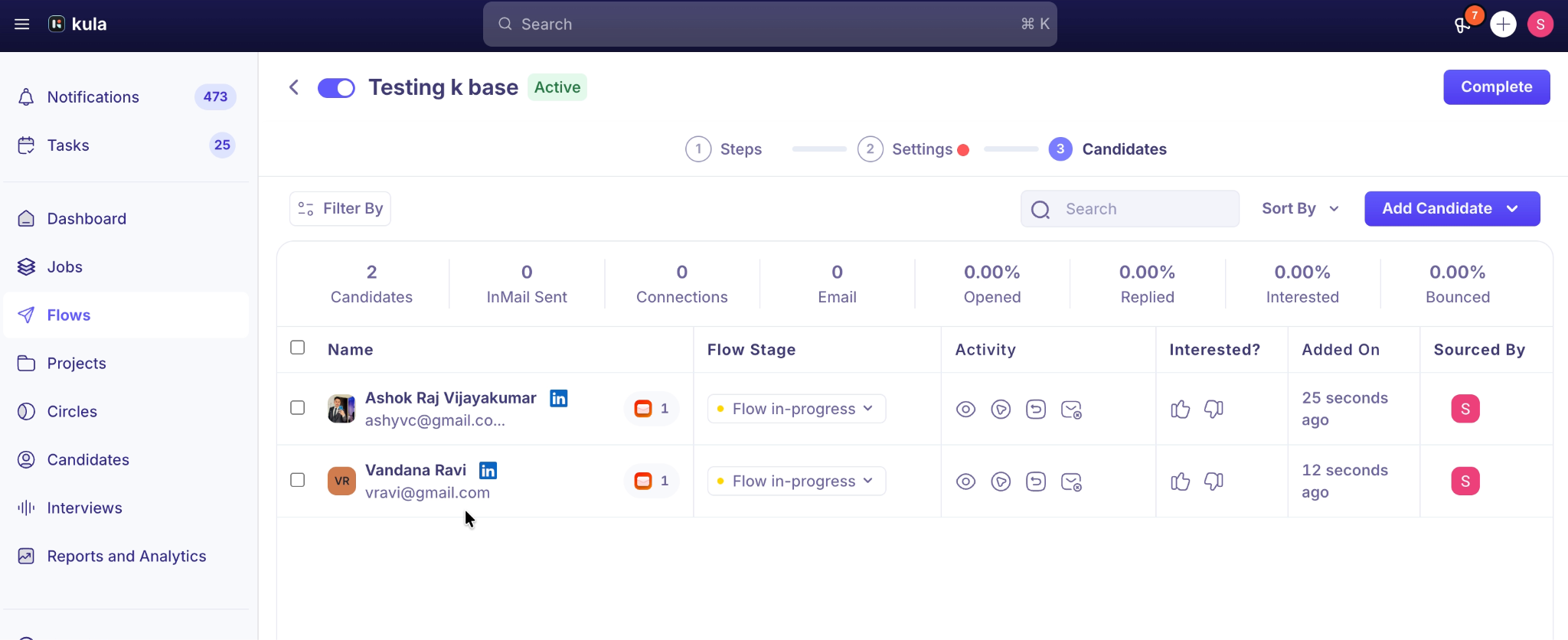
You can automate the timing without automating the personality. Modern candidate database software can trigger multi-touch campaigns while allowing recruiters to tailor the message and audience. Kula's automated multi-channel campaigns, for example, can be used to support silver medalist re-engagement at scale for high volume hiring strategies.
Instead of individually messaging each candidate on separate platforms like LinkedIn and email, you can just set up a personalized sequence for each candidate that sends InMails and emails at specific stages, including follow ups and replies.
5. Keep compliance in the workflow
For employers covered by the Office of Federal Contract Compliance Programs (OFCCP), an individual is considered an “Internet Applicant” only when four criteria are met, including expressing interest electronically, being considered for a particular position, meeting the basic qualifications, and not withdrawing from consideration.
Simply having someone's profile sitting in a database does not make them an Internet Applicant.
Your talent pool management process should also use consistent, job-related criteria when deciding who gets re-engaged. Don't selectively apply filters based on protected characteristics.
The bigger point is simple.
Talent pipeline management doesn't end when someone isn't hired. A strong candidate database gives you another chance to start the conversation when the timing, role, or candidate has changed.
12 best tools for candidate database management
No single platform is going to solve every candidate database problem. Some tools are built around the ATS, some around recruiting CRM and engagement, and others focus on sourcing, enrichment, or AI-powered rediscovery.
The right choice depends on where your current process breaks down. Here's how a quick breakdown of the different tools you’ll find in the market, and why they’ll suit your team:
ATS and recruiting CRM platforms
1. Kula
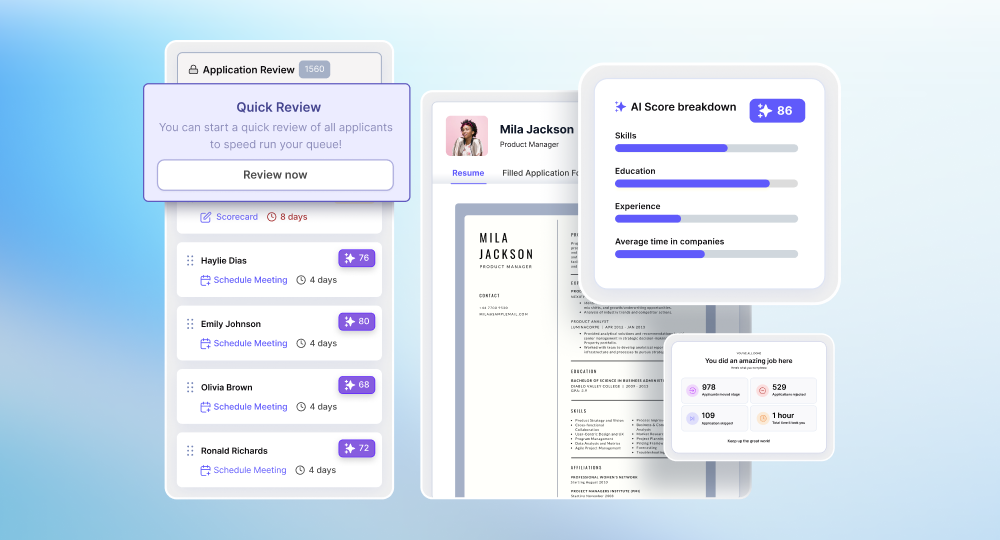
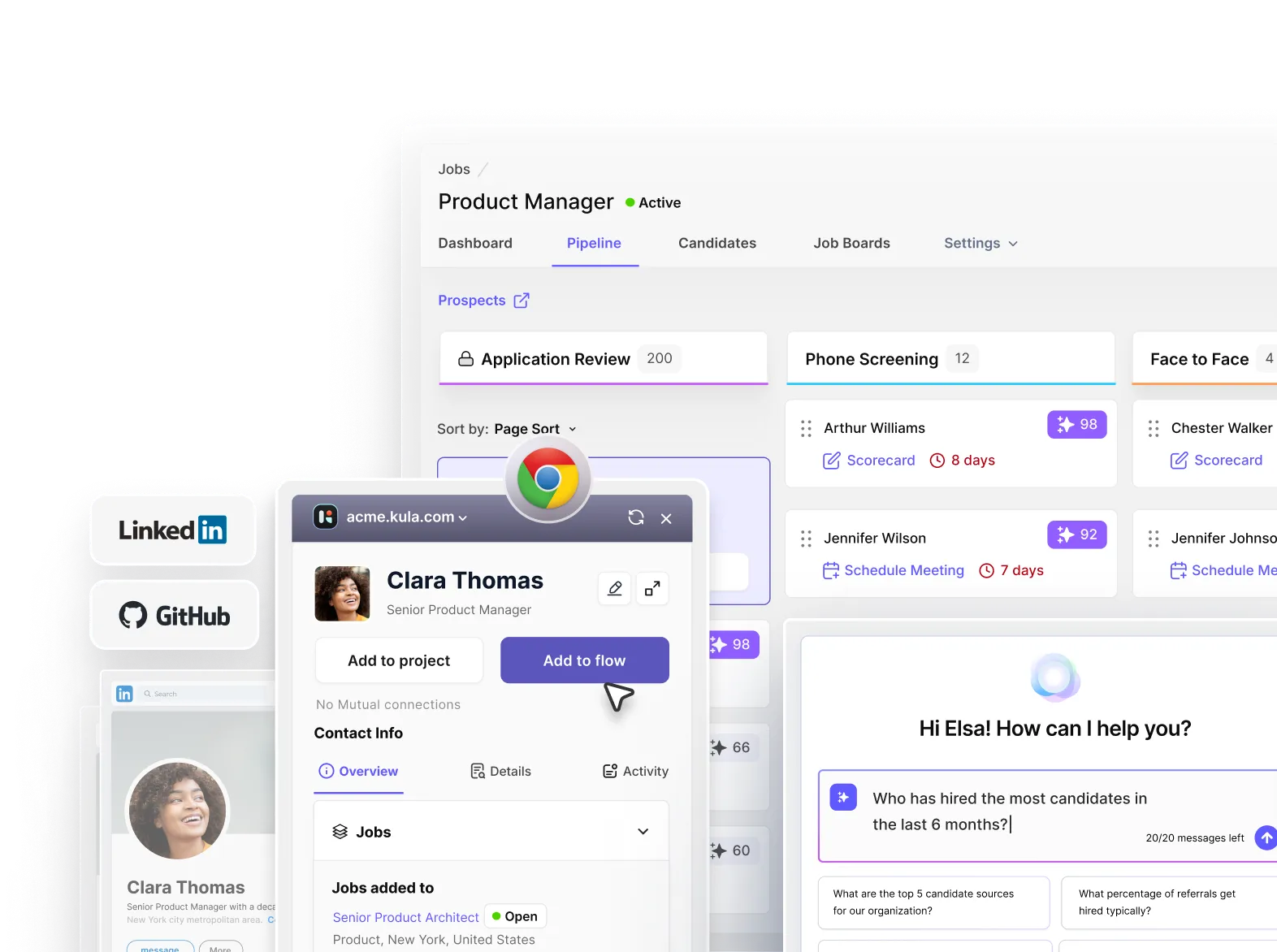
Kula is an AI-native platform that combines candidate screening, CRM, outreach, sourcing, and ATS workflows. Recruiters can capture candidates from LinkedIn and GitHub, enrich their profiles, move them into future talent pipelines, score them against role criteria, and re-engage candidates already sitting in the database.
For candidate database management, the important part is that sourcing and historical candidate data stay connected rather than living in separate systems. From candidate communication to interview notes and transcripts, you’ll find it all under one place with Kula. No more juggling through different tools just to find an old potential candidate.
Kula also supports AI scoring based on criteria such as skills, education, and experience, which can help recruiters identify strong candidates from previous searches.
Best fit: Teams that want sourcing, candidate storage, scoring, and re-engagement in one recruiting workflow along with AI-interview note taking and recording, rather than stitching together several separate tools.
2. Ashby
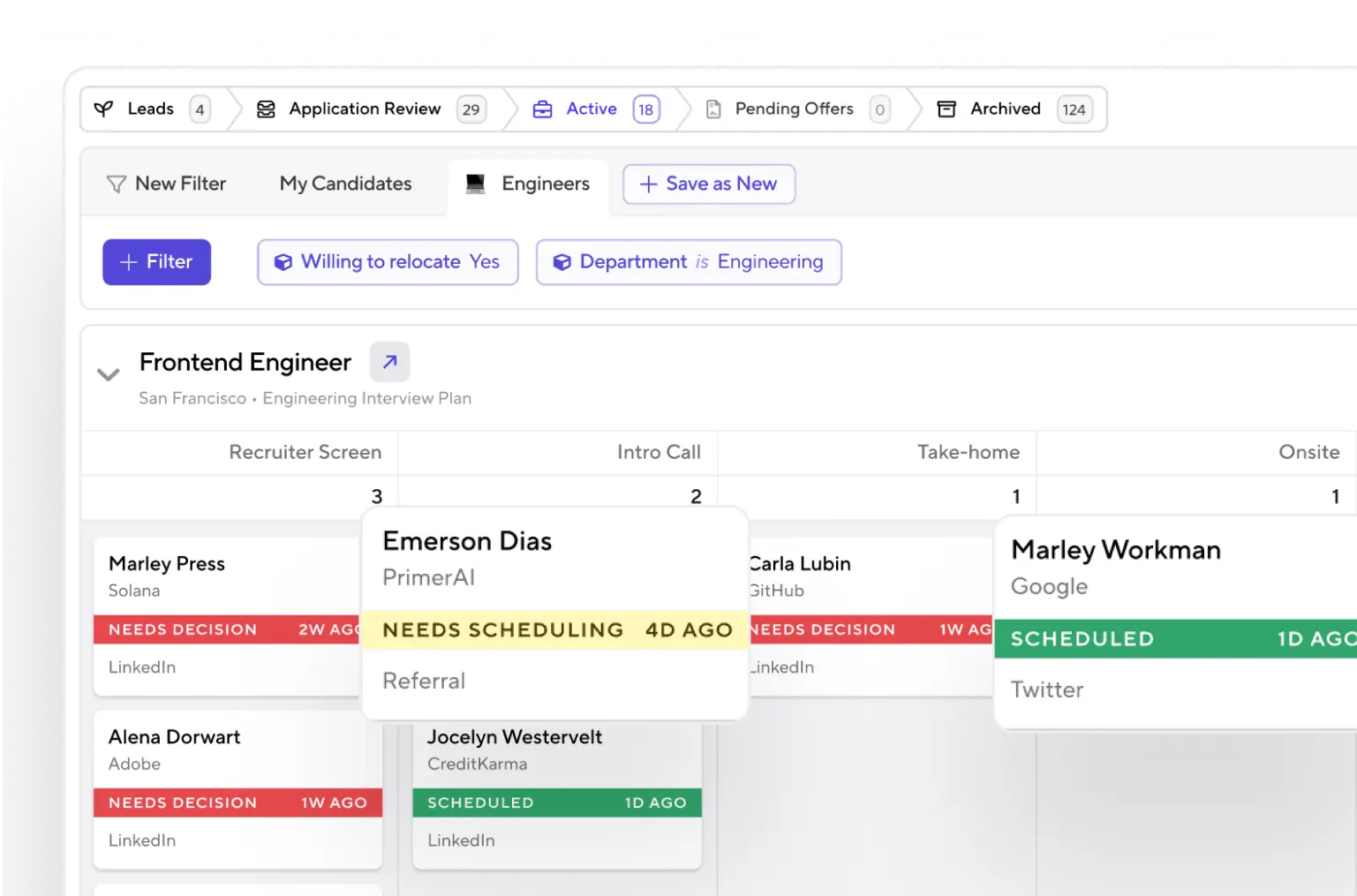
Ashby combines an ATS, recruiting CRM, sourcing, and talent rediscovery. Its Chrome extension lets recruiters capture prospects while browsing external profiles, while its AI Talent Rediscovery feature searches existing ATS candidates against open roles.
The rediscovery workflow can surface groups such as high-fit candidates, silver medalists, and warm leads. Ashby also supports refreshing stale candidate information so recruiters aren't relying entirely on outdated employment history when evaluating a previous candidate.
Best fit: Teams already using Ashby that want historical-candidate search and rediscovery built directly into their hiring workflow.
3. Gem
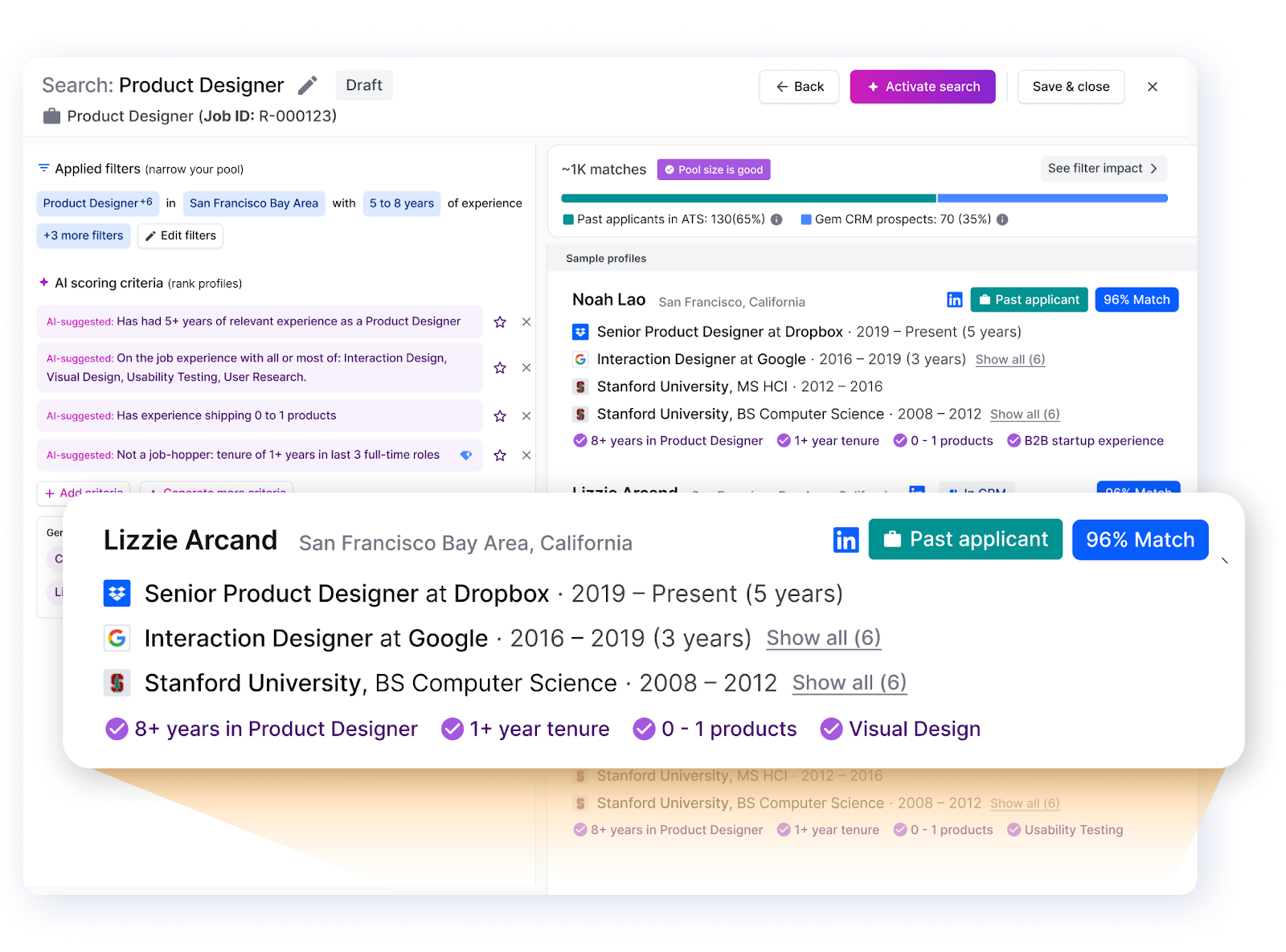
Gem is a recruiting CRM and talent engagement platform that combines sourcing, sequencing, ATS reporting, and candidate rediscovery. Its AI Rediscovery feature can search connected ATS and CRM records for past applicants, silver medalists, and warm prospects who match a new opening.
It can also use information such as previous applications, interview scorecards, email engagement, notes, and relationship history when evaluating candidates. That makes it particularly relevant for teams that want to nurture candidates over time rather than only contact them when a requisition opens.
Best fit: Teams that already have an ATS but need a stronger CRM, nurture, and candidate-rediscovery layer.
4. Bullhorn
Bullhorn is particularly relevant for staffing and agency recruiting teams. Its ATS provides a central candidate repository with search and matching capabilities, while its automation features can trigger emails, texts, engagement messages, notifications, tasks, notes, and other actions.
Recruiters can search candidate records using information such as skills, specialties, activity, placements, submissions, notes, education, and files. That makes the platform useful for redeployment, where a candidate who has already worked with one client can be considered for another opportunity.
Best fit: Staffing and agency teams managing candidates alongside submissions, placements, redeployment, and client-specific workflows.
5. Greenhouse
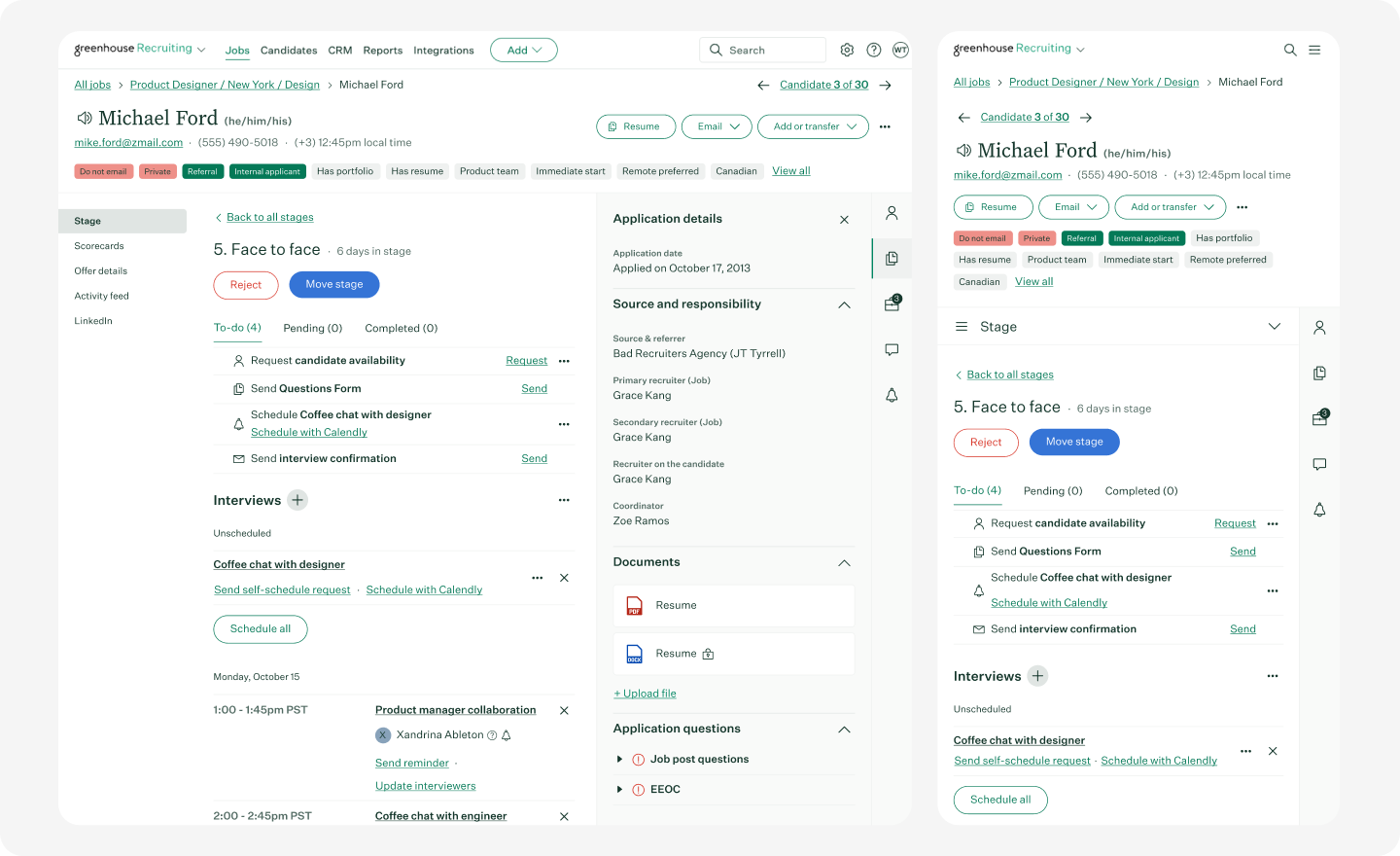
Greenhouse supports candidate search, prospect pools, talent pools, and historical candidate matching. Its Talent Finder can surface candidates who reached important milestones, such as face-to-face interviews or offers, as well as people in configured prospect pools.
Its “Past Candidates” filter functionality can also help recruiters find previous applicants who may fit a new role. The important distinction is that this focuses on applicants and uses filters rather than assigning AI match scores to every historical candidate.
Best fit: Teams already using Greenhouse that want structured ways to search and reuse historical candidates.
6. Lever
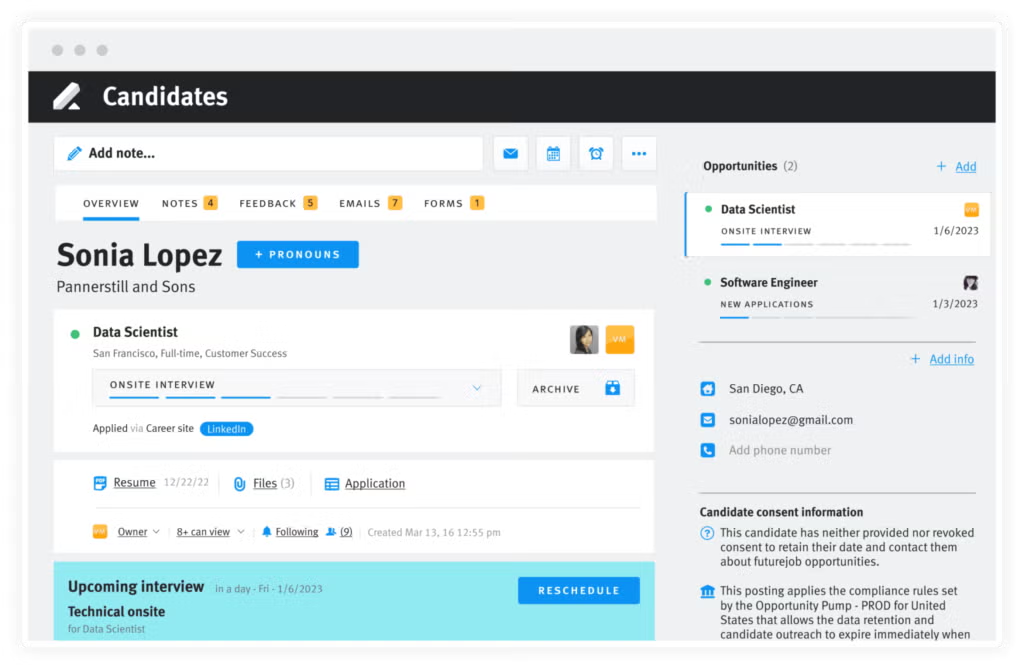
Lever combines ATS and recruiting CRM functionality, with tools for historical candidate search, nurture, and rediscovery. Recruiters can use Boolean queries and filters to search past candidates, while Nurture Recommendations can resurface people who may fit current openings.
Its nurture workflows also support personalized candidate communication and engagement tracking. Candidates can be snoozed and resurfaced later, which is useful when someone is interested but isn't ready to move immediately.
Best fit: Teams that want candidate search and long-term candidate nurture in the same recruiting platform.
7. Workable
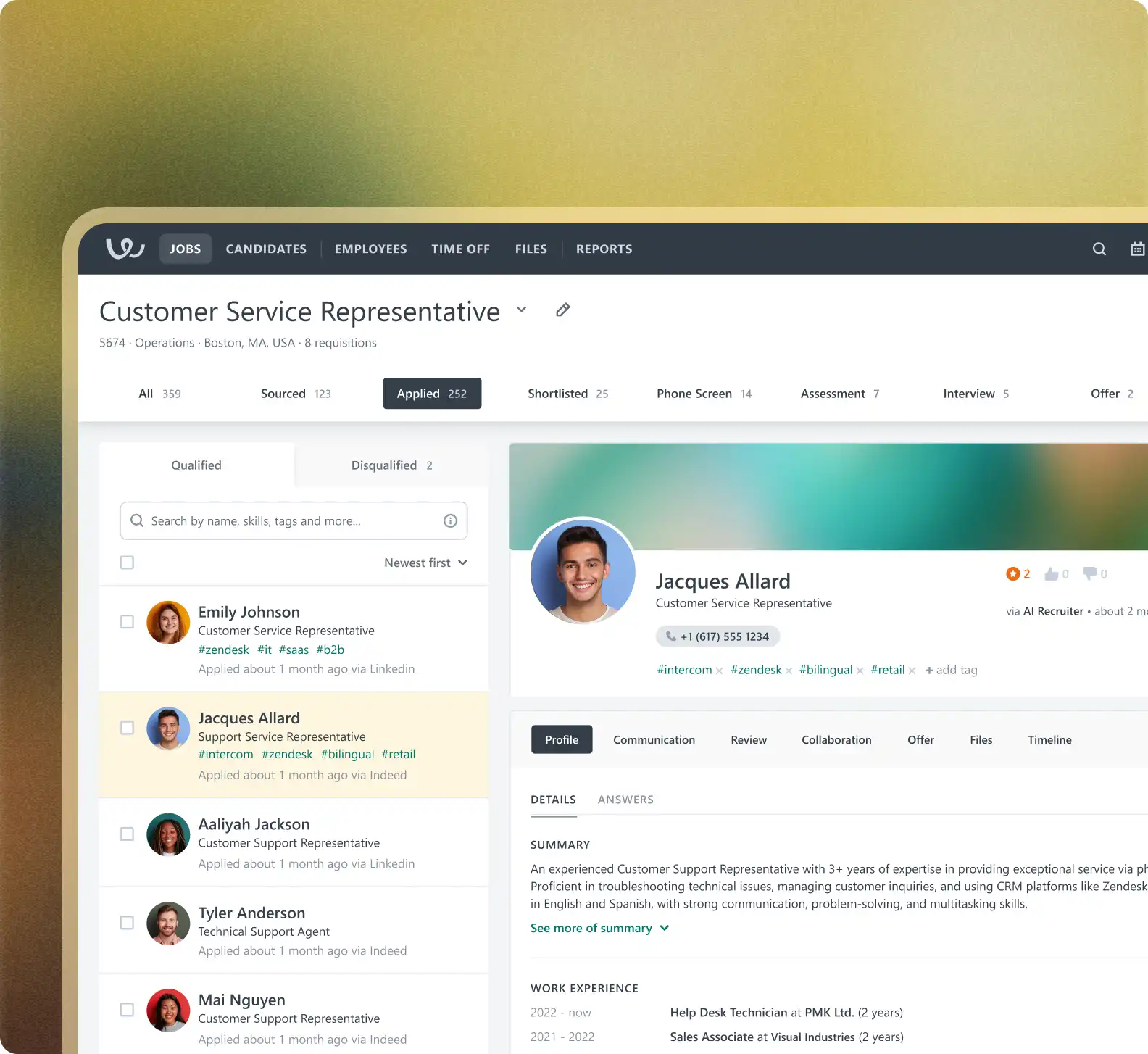
Workable provides a central candidate database for applicants, sourced candidates, manually uploaded profiles, and people added to talent pools. Recruiters can search candidates by skills, location, keywords, hiring stage, position, and application date.
Its Talent Pool feature is designed for candidates who aren't attached to an active job but may be useful for future openings. Recruiters can also add sourced candidates directly to talent pools and organize them into categories such as sourced and applied.
Best fit: Small and mid-sized teams looking for straightforward candidate storage, search, and talent-pool organization.
Sourcing and enrichment tools
8. hireEZ
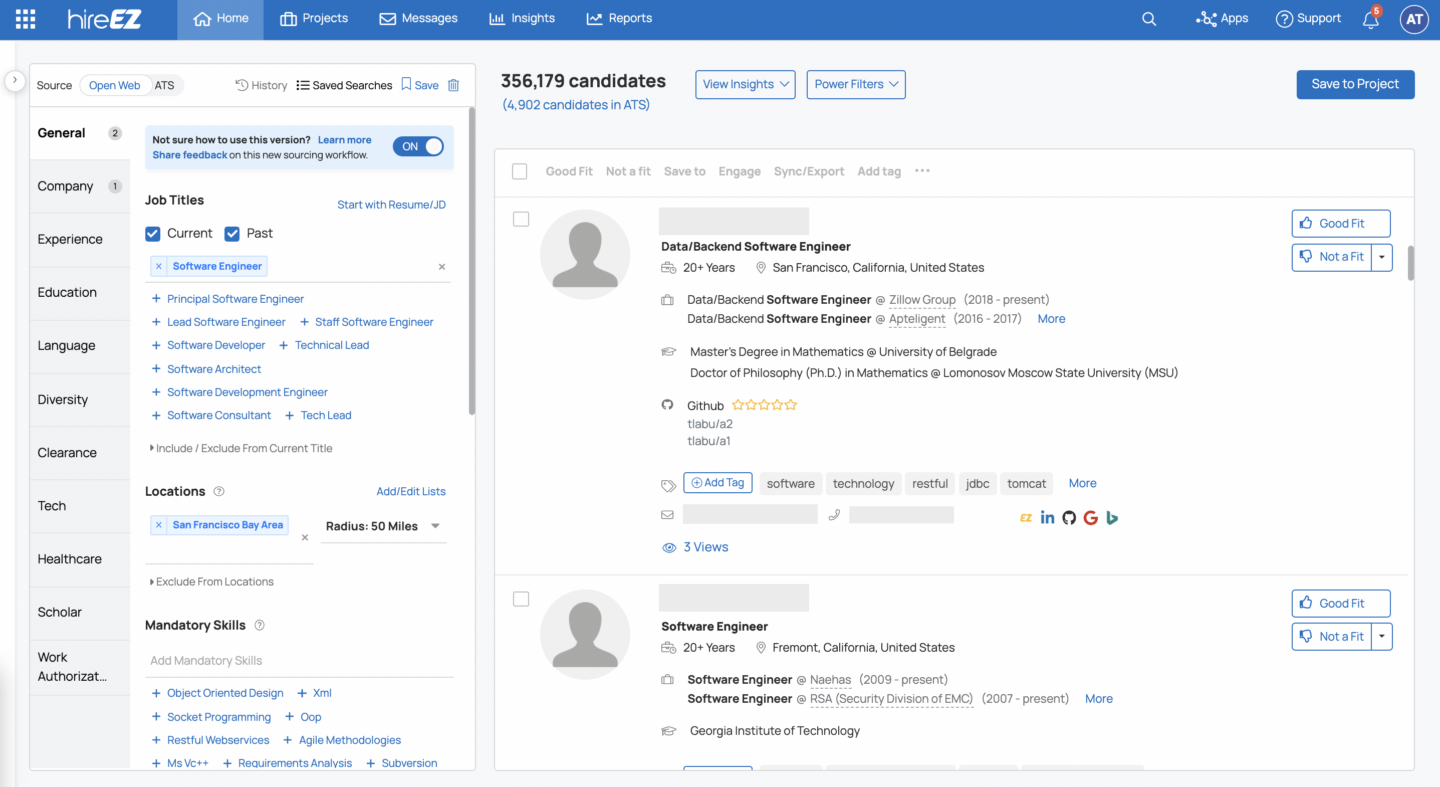
hireEZ is particularly useful when your ATS is packed with old or incomplete candidate records. Its Rediscovery product connects with the ATS to find existing candidates, enrich outdated profiles, and deduplicate records.
Recruiters can filter rediscovered candidates using information such as last contact, projects, tags, and notes. The goal is to make an existing database more useful instead of immediately turning to external sourcing.
Best fit: Teams with large, stale ATS databases that need enrichment, deduplication, and historical-candidate rediscovery.
9. ContactOut
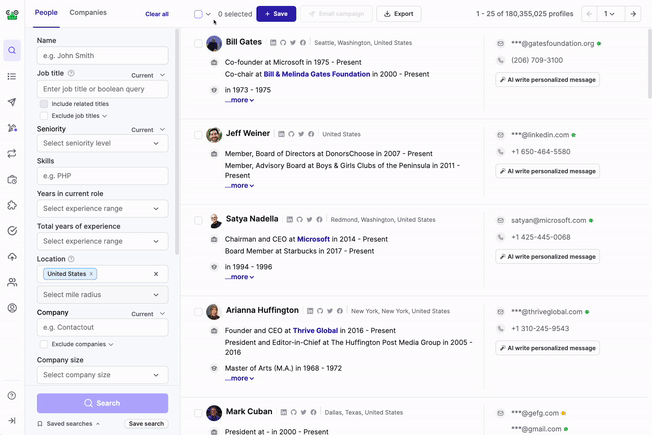
ContactOut is primarily a contact-data and enrichment platform rather than a candidate database or ATS. Its role is to help recruiters fill gaps in candidate records, particularly when they have a profile but are missing reliable contact information.
It supports browser-based lookup, bulk enrichment, email and phone discovery, profile enrichment, verification, and API workflows. Recruiters can enrich records with information such as email addresses, phone numbers, LinkedIn URLs, work history, and company details.
Best fit: Teams whose biggest database problem is incomplete contact information. It works alongside an ATS or CRM rather than replacing one.
10. RocketReach
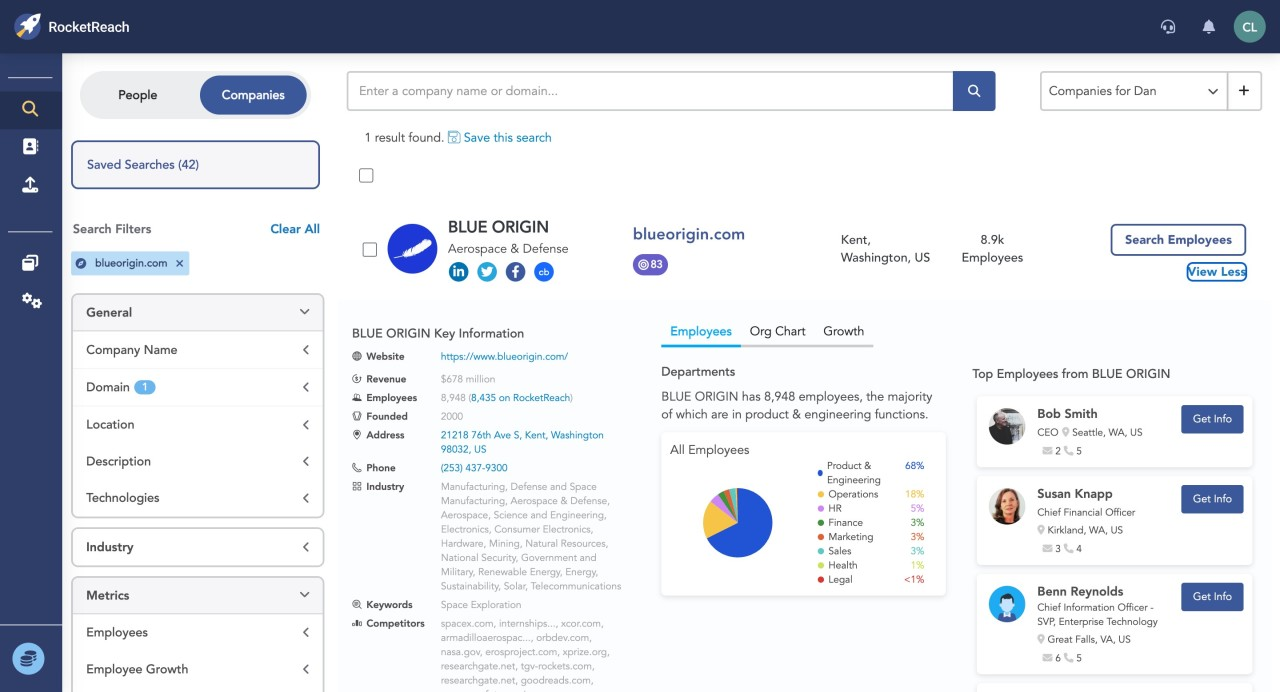
RocketReach serves a similar purpose, with contact intelligence and enrichment rather than full candidate relationship management. Recruiters can search for professional contact information, enrich lists in bulk, use browser-based lookup, export records, and connect the data to broader workflows through its API.
It can be useful when you're preparing an old candidate list for re-engagement and need to update missing or outdated contact details.
Best fit: Teams that already have a candidate database but need better contact-data coverage before launching outreach.
11. LinkedIn Recruiter
LinkedIn Recruiter is primarily a sourcing and candidate-organization tool, not a replacement for an ATS. Recruiters can create projects, save candidate profiles, run searches, use filters, review recommendations, and organize prospects into talent pools.
It's particularly useful for building the external side of your talent pipeline. The limitation is that LinkedIn shouldn't become the only place where candidate history lives. Interview feedback, hiring stages, previous applications, and relationship context still need to be captured in your ATS or CRM if you want a complete candidate database.
Best fit: Teams that need strong external sourcing and LinkedIn-based candidate organization.
12. HeroHunt.ai
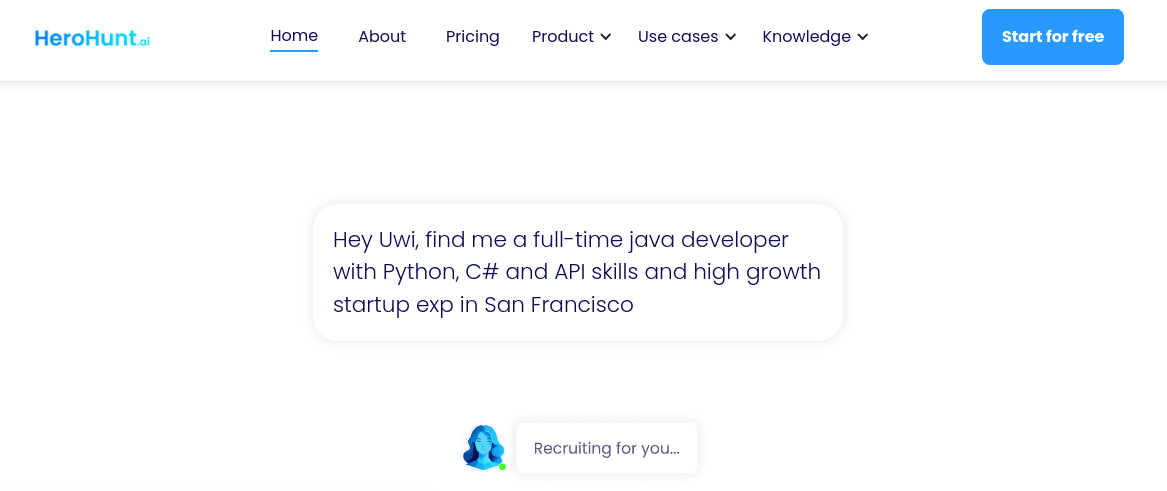
HeroHunt.ai focuses on AI-assisted talent search, candidate discovery, contact-data retrieval, and outreach. It can search across online sources, match candidates against role requirements, retrieve contact information, and support personalized engagement.
It's more focused on finding and engaging external candidates than managing the complete hiring history of candidates already in an ATS. That distinction matters if your primary goal is talent pool management rather than sourcing alone.
Best fit: Teams that want AI-assisted external sourcing and outreach, particularly when expanding beyond their existing candidate database.
How to choose the right candidate database tool
The tools above solve different parts of the candidate database problem. Before picking one, figure out where your current process is breaking:
- If your candidate data is scattered across sourcing, ATS, and CRM tools: Look for an ATS + CRM combination such as Kula, Ashby, Gem, Lever, or Greenhouse that keeps candidate history connected.
- If your biggest problem is a stale database: Prioritize rediscovery, enrichment, and deduplication. Tools such as hireEZ are built specifically around making older candidate records useful again.
- If you need to source and capture candidates faster: LinkedIn Recruiter and browser-based sourcing tools can make it easier to bring external candidates into your database without creating more manual work.
- If your database has plenty of candidates but poor contact information: ContactOut and RocketReach can fill in missing or outdated contact details before you start re-engagement campaigns.
- If you need stronger AI matching: Look for platforms that can search your existing database against current job requirements, rather than simply matching keywords in new resumes.
- If you're managing candidates for future roles: Prioritize talent pools, historical search, candidate segmentation, and nurture workflows. Those features matter more for talent pool management than another sourcing database.
The best candidate database software isn't necessarily the one with the most features. It should fit the way your team already sources, stores, searches, and re-engages candidates.
If recruiters can find the right people, see their previous relationship with your company, and reactivate your talent pool without starting the search from scratch, your database is doing its job. If they still need to jump between tools to piece that information together, there's probably a gap in your talent pipeline management process.
Is your candidate database actually producing value?
You don't need another dashboard to figure out whether your candidate database is working. Start with these three questions:
1. How many of your hires came from your existing database in the last 12 months?
Look beyond candidates who applied directly to an open role. Count people your team had already sourced, interviewed, referred, or engaged before the role opened.
If that number is low, your database may be functioning more like an archive than a talent pipeline.
2. When was the last time you deliberately re-engaged your silver medalists?
Not a generic nurture email. An actual, targeted re-engagement based on their previous interaction with your team.
If the answer is “never” or “we don't really do that,” there's an obvious opportunity sitting in your candidate database.
3. Can you pull a list of your top 100 passive prospects from the last 12 months?
Specifically, people who have already engaged with your employer brand, recruiting team, events, or content.
If you can't produce that list without digging through spreadsheets and multiple tools, your data capture or segmentation needs work. Fixing that will usually be more useful than simply adding another sourcing channel.
If any of these questions leaves you reaching for a spreadsheet, your talent pool management process has some catching up to do. Fix the database first, then worry about adding more tools or spending more on cold sourcing.
Your best next hire might already be sitting in your database.
Kula helps you find them with its Chrome extension, score past candidates against new roles, and re-engage the ones worth another conversation, all without rebuilding your search from scratch.
Book a demo with Kula today and see how you can tap into your talent pipeline.

The best platform depends on how your team sources, organizes, searches, and re-engages candidates. Kula is particularly useful for teams that want to turn their existing candidate database into an active talent pool, with AI-powered candidate rediscovery, scoring, sourcing workflows, and automated re-engagement. Other recruiting platforms such as Ashby, Gem, Bullhorn, Greenhouse, Lever, and Workable combine candidate databases with ATS or recruiting CRM capabilities. Sourcing and enrichment tools such as hireEZ, ContactOut, RocketReach, LinkedIn Recruiter, and HeroHunt.ai can also help expand and enrich your talent pool.
A candidate database gives recruiters a searchable record of people they have already sourced, interviewed, referred, or engaged. It can be used to find candidates for new roles, segment talent pools, rediscover past applicants and silver medalists, track candidate history, and reactivate talent instead of starting every search from scratch. With good talent pool management, your database can become an ongoing source of qualified candidates.
Start with your recruiting workflow rather than the number of features. Look for a candidate management system that makes it easy to capture candidate data, search and segment your database, track interactions, maintain data quality, and re-engage candidates. Small businesses should also consider ease of use, integrations, automation, reporting, scalability, and total cost. The right candidate database software should reduce manual work without creating another system your team has to maintain.